
Products and SKUs
Available in: 🌐 Web · 🖥️ Desktop
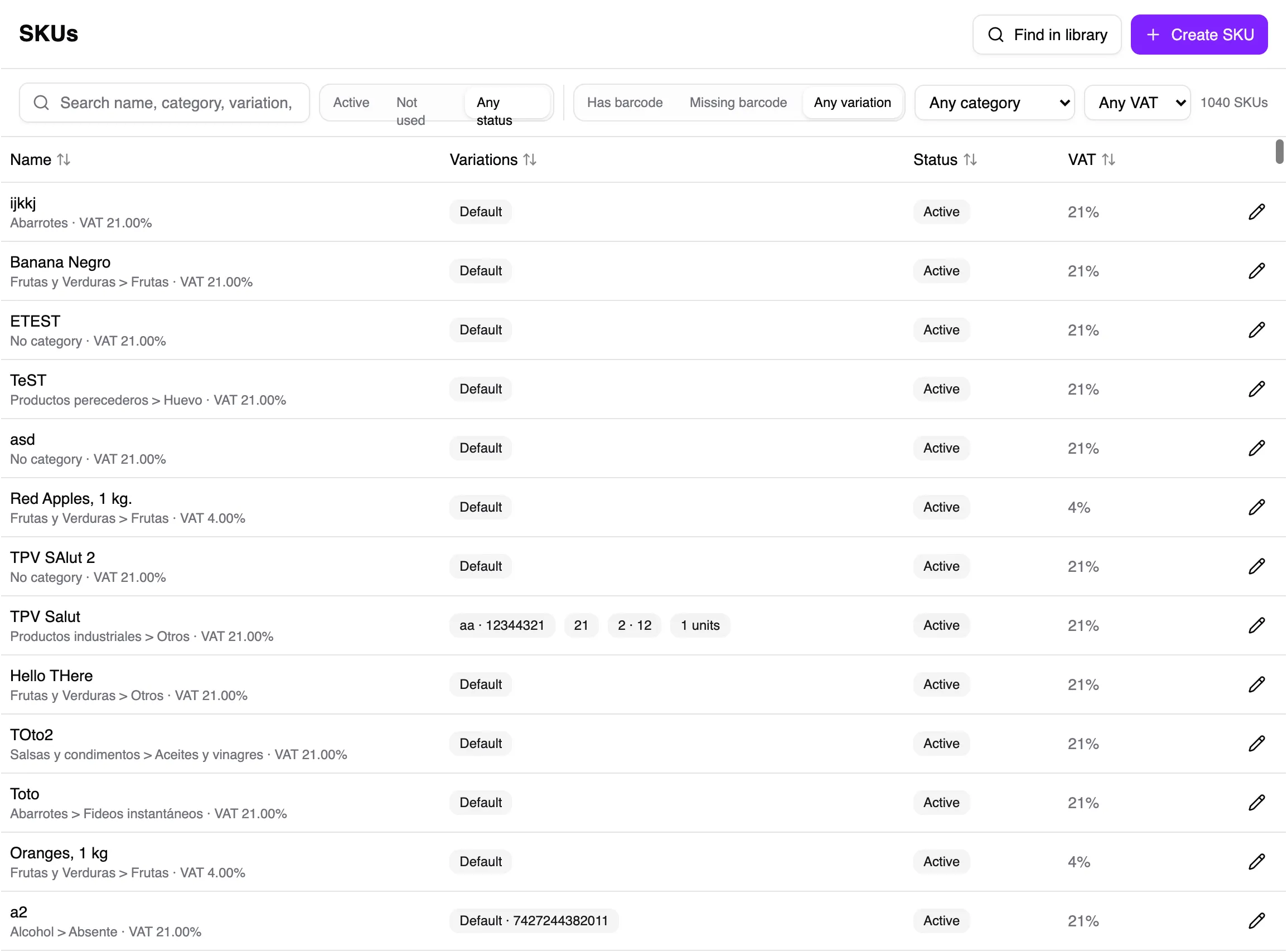
A SKU is the specific item you sell and track. It can have a barcode, unit, tax details, and one or more purchase or sales packs.
Use the product library
Section titled “Use the product library”Search the library first to avoid duplicates and reuse information for products Salut ERP already recognises.
- Open SKUs and choose Find in library.
- Search by name, barcode, or variation. You can sort the table by its columns.
- Check the result’s name, barcode, packs, and VAT.
- Choose Use on the correct product.
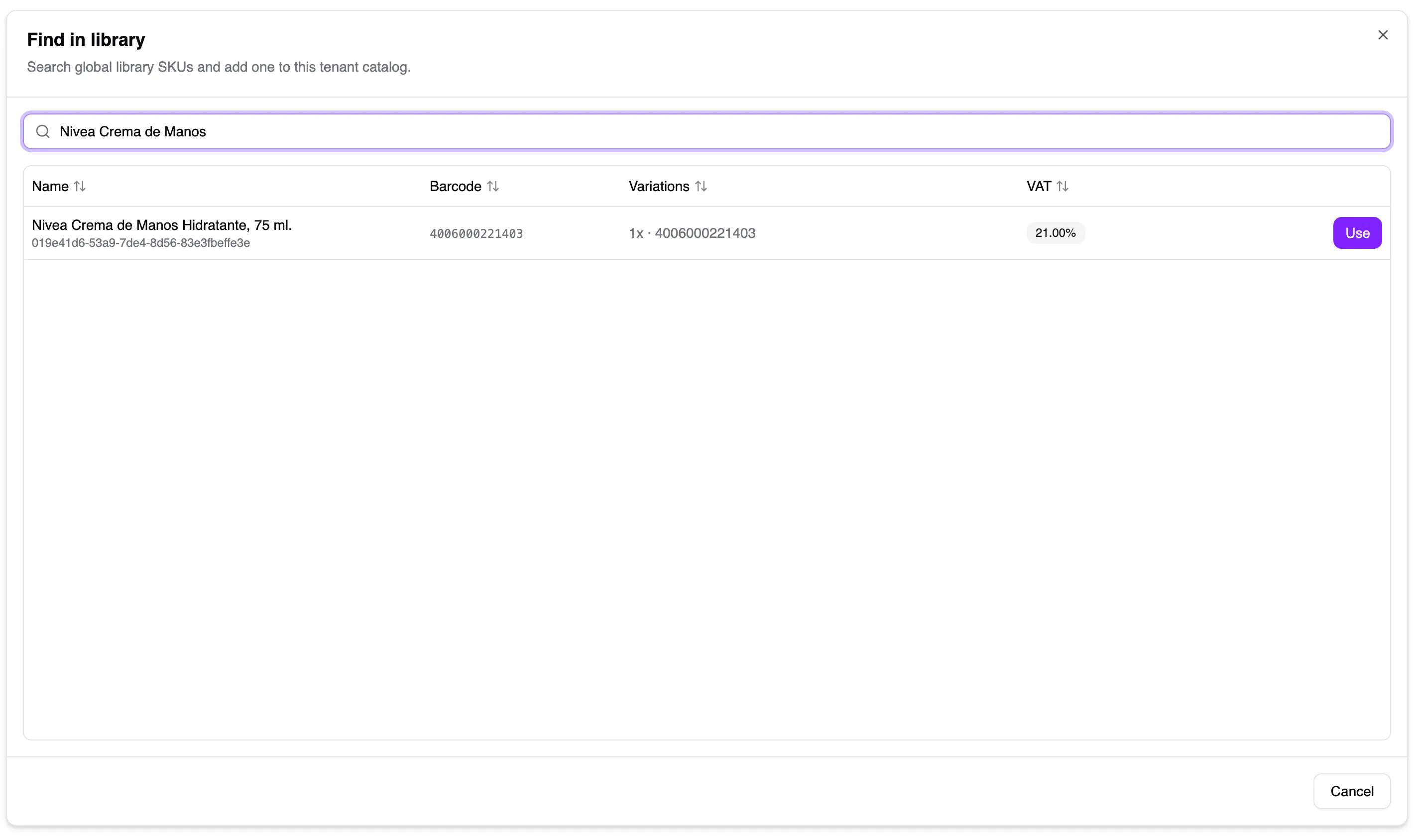
When you choose Use, Salut ERP adds a linked SKU to your catalogue. The window only shows library products that have not already been added; retired products are also omitted. If you manage SKUs from a registered POS assigned to a store with an assortment, Salut ERP also adds the new SKU to that assortment. Afterwards, find the new SKU in the main list and review its category, packs, and prices before selling it.
For a weighed product, you can enter a three-digit produce code before choosing Use. It is optional, but when supplied it must contain exactly three numbers. See weighed products to finish preparing it.
If the search does not return the product, choose Create SKU in the same window to continue to the creation form.
Find or create with a scanner
Section titled “Find or create with a scanner”You can scan a barcode from anywhere on the SKUs list:
- If the code already belongs to a SKU in your catalogue, Salut ERP replaces the current search with the code and filters the list. Each new scan replaces the previous one.
- If the code is not in your catalogue and you are online, Salut ERP searches the global library. If it finds the product, it adds the SKU to your catalogue and shows a notification. On a registered POS assigned to a store with an assortment, it also adds the SKU to that assortment.
- If the code is not in the library, Create SKU opens as an item sold by unit, with the barcode already filled in under SKU settings. When offline, Salut ERP skips the library lookup and opens the same form immediately.
Review and assign a price to SKUs added from the library before selling them.
Create a SKU from scratch
Section titled “Create a SKU from scratch”- Open SKUs and choose Create SKU.
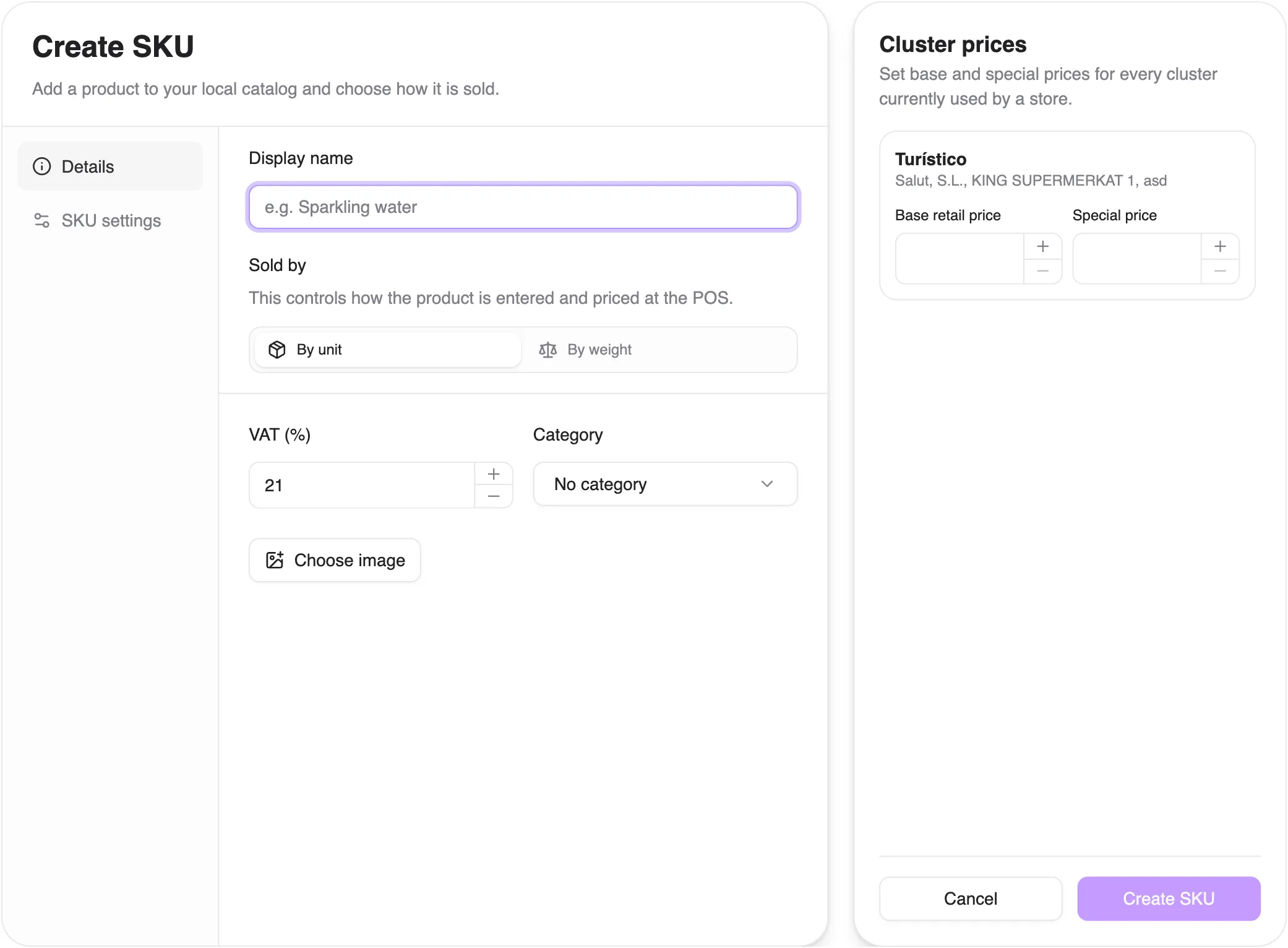
- Enter an easy-to-recognise name.
- Choose whether it is sold by unit or weight, check the VAT, and assign a category.
- Open SKU settings. Its contents depend on how the SKU is sold:
- By unit: enter the barcode on the default pack and add other packs when needed.
- By weight: enter the three-digit produce code, if you use one, so staff can find the item at the POS. Packs and barcodes are not shown for these SKUs.
- If cluster prices are shown, enter the base price and, when needed, the special price.
- Add an image if it helps staff recognise the product, then save.
The unit defines how the product is measured and is preserved throughout its life. If it was chosen incorrectly, create the correct SKU instead of repurposing the old one.
A pack identifies one presentation of the same SKU. Each row has its own unit count, optional barcode, and name. For example, a box of 12 can have a different barcode from an individual unit; entering 12 units lets you receive or sell the box without confusing quantities.
You can also create several 1-unit packs so that different barcodes identify the same SKU. This is useful when the product is identical but its packaging varies by market: a Coke Zero with French text and one with Spanish text may have different barcodes, but both can point to the same SKU. Give each pack its barcode and use the pack name to distinguish them. Scanning either code then identifies the same item in Salut ERP.
Weighed products
Section titled “Weighed products”Mark a product as sold by weight when creating it. Weight uses the configured unit and this status cannot be changed later. Scale produce codes are separate from barcodes and can point to only one product at a time; reassigning a code disconnects it from the previous product.
If something does not fit
Section titled “If something does not fit”- Duplicate code: find the existing SKU before creating another.
- Missing from the library: it may already be in your catalogue; search the main list. If it is not there either, create it from scratch.
- Cannot change to weighed: create the correct SKU; its measurement method is fixed at creation.
- Missing from POS: add it to the store assortment and price it.